Hi
,
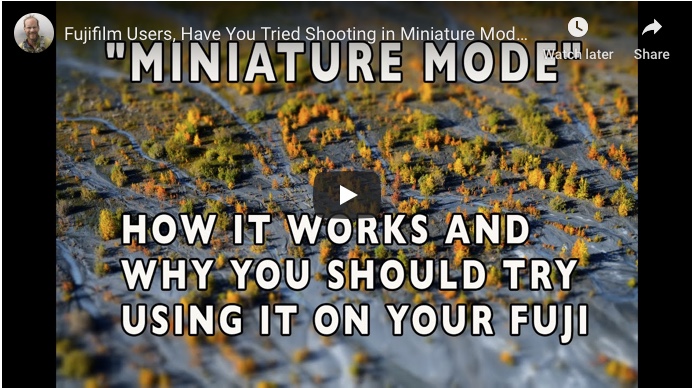
In this lesson, I talk about one of my favorite creative settings on the Fujifilm cameras: Miniature Mode. I explain how it works, and why I think you should try using it.
This is one of the ADV creative filters, and although I seldom use most of the other filters, I love using Miniature Mode, and find that it can add a huge amount of fun and new creative options to your photography.
So check out my tutorial here, and if you get a great shot using Miniature Mode, be sure and share it with me or tag me on social media so I can check it out!
If you already use this mode, then you might get some new ideas from the image examples I show, and you can hear my detailed description about what this mode is actually doing.
Luminar 4 is Coming with New Tools
SKYLUM software has announced that Luminar 4 is coming this fall, and with it, they're unveiling some powerful new tools. In addition to refining their RAW engine and continuing to provide excellent support for Fuji shooters, Luminar 4 will
include a host of new AI-powered tools that can give you excellent results and save you tons of time.
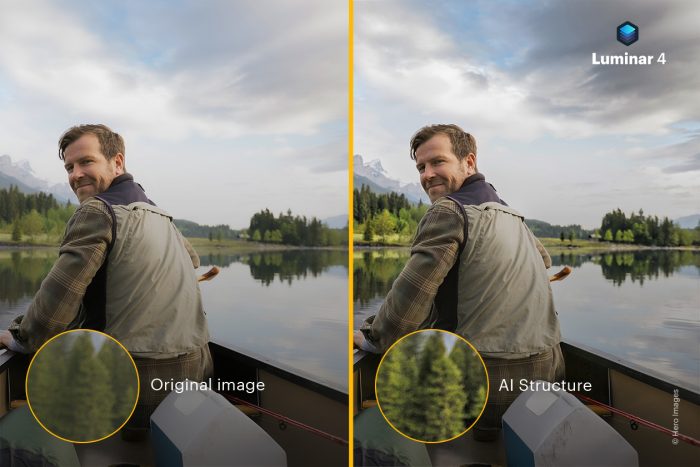
The new tools include AI STRUCTURE, which uses careful algorithms to sharpen on the background and prevent the kinds of artifacts, halos and other imperfections that global Clarity and Sharpening can do to images, especially when they include people.
On the other end, they've announced two new AI SKIN and PORTRAIT ENHANCER tools. Using human-based content aware technology, they let you automatically perform the same kinds of complicated retouching tasks that portrait photographers have been doing for years inside Photoshop. Only, now you can control them all with just a few simple sliders.
Ok, that's all for now. I hope you're having a great week. Enjoy the beginning of fall, which starts this weekend!
|
Sincerely,
Dan Bailey
dan@danbaileyphoto.com
|
|
|
|